For exhibitors
Run your stand
from one place
Every company that books a booth at an event running on SRAtix gets an Exhibitor Portal. It holds your company profile, your team’s passes, your demo, your arrival slot and your rentals.
Your organisation sits above the events
Without a portal, a stand runs on email. The organisers write asking for your logo, then again because the first one was too small. They ask for the company description, then the demo text. Staff names arrive as a spreadsheet, someone leaves, and a corrected spreadsheet goes back. Next year the thread starts again from nothing.
The Portal hands you the page instead. You upload the logo, you write the description, you add and remove the people on your stand, and the organisers read what you put there rather than asking you for it.
Your organisation is the permanent part. Logo, description, website, social links, contact address and your photo and video library all live above any single event. Book a stand at a second one and they are already filled in.
Underneath sit the events. Each stand has its own demo, its own team, its own arrival window and its own rentals, and none of it bleeds into the others. A company holding two booths at the same show sees both. A company that exhibited in 2025 and comes back in 2027 signs in with the same email and finds its profile waiting.
- Demo and demo media
- Four staff passes
- Arrival window booked
- Rentals ordered
- New demo, new photos
- Six staff passes
- Arrival window open
- Rentals open
- Company details already there
- Team already known
- Start from the demo
How access works
Access comes with the booth
There is no application form and no separate signup. Buy a booth at any event running on SRAtix and the account is created as the order completes.
You book a stand
The order finishes and your company account exists. A welcome email arrives with a link to set a password.
You add your team
Each person you add against the passes included with your stand gets their own invitation, fills in their own details and picks their own password. Nobody shares an account.
You sign in whenever
The Portal sits on the event’s own website. Next event, same sign-in, and nothing to reactivate.
Nine areas, one sign-in
Two of them hold your organisation record and stay with you between events. The other seven work on the stand you are looking at, and there is a booth selector at the top when your company holds more than one.
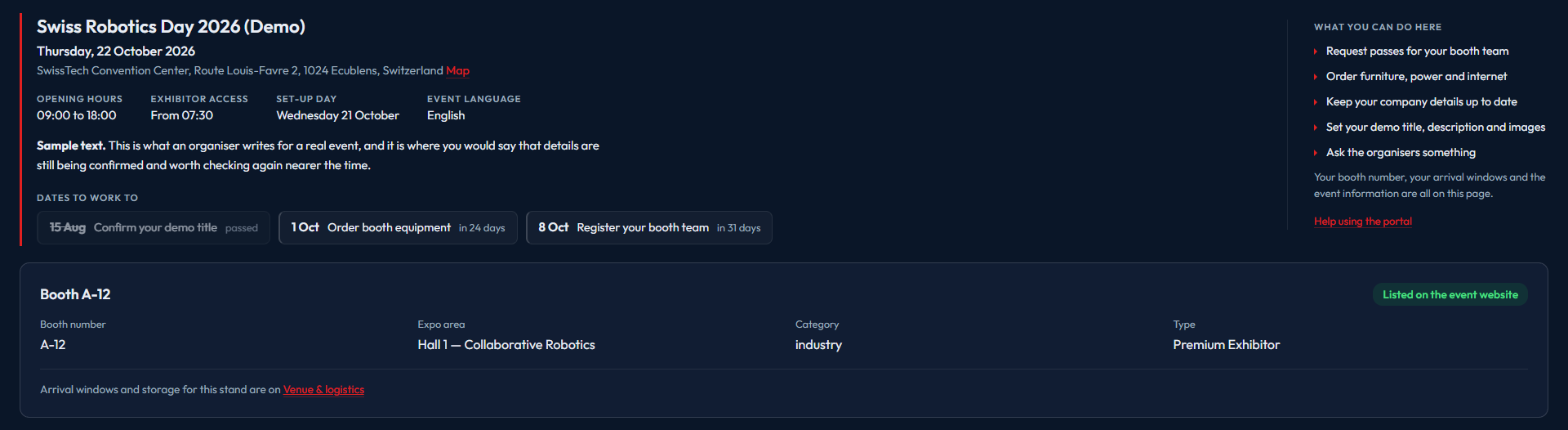
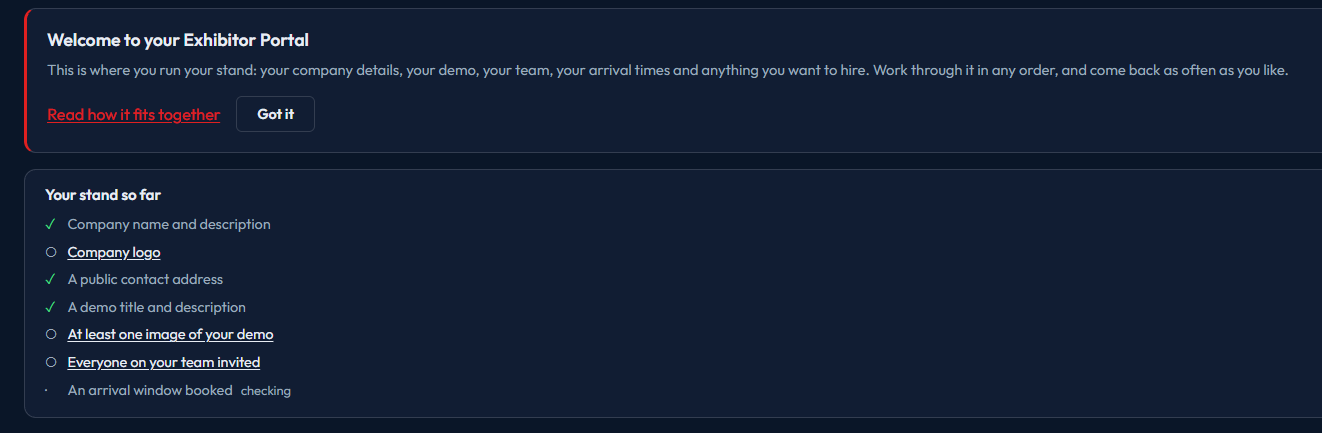
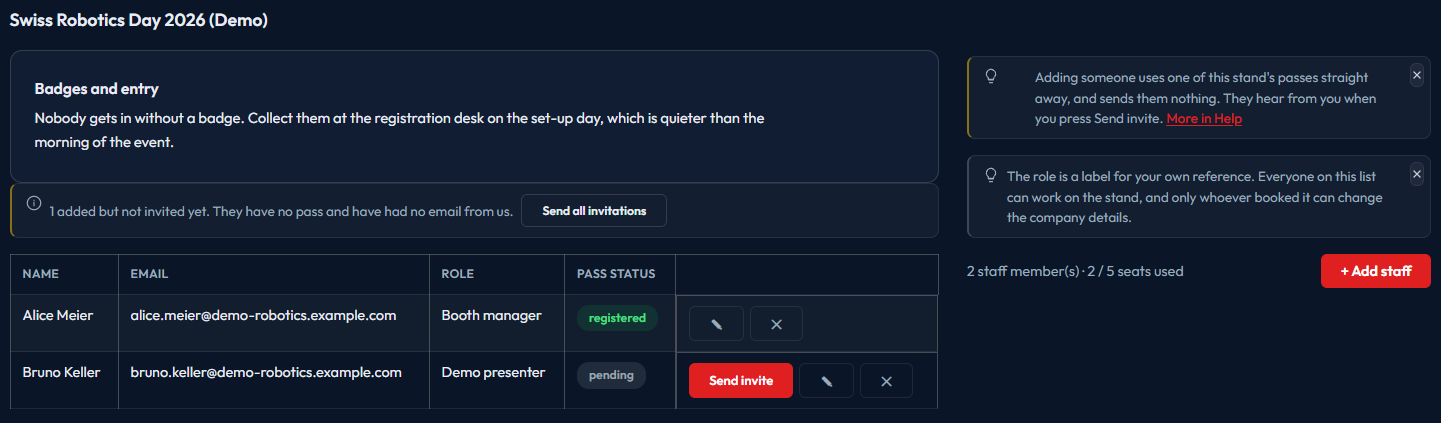
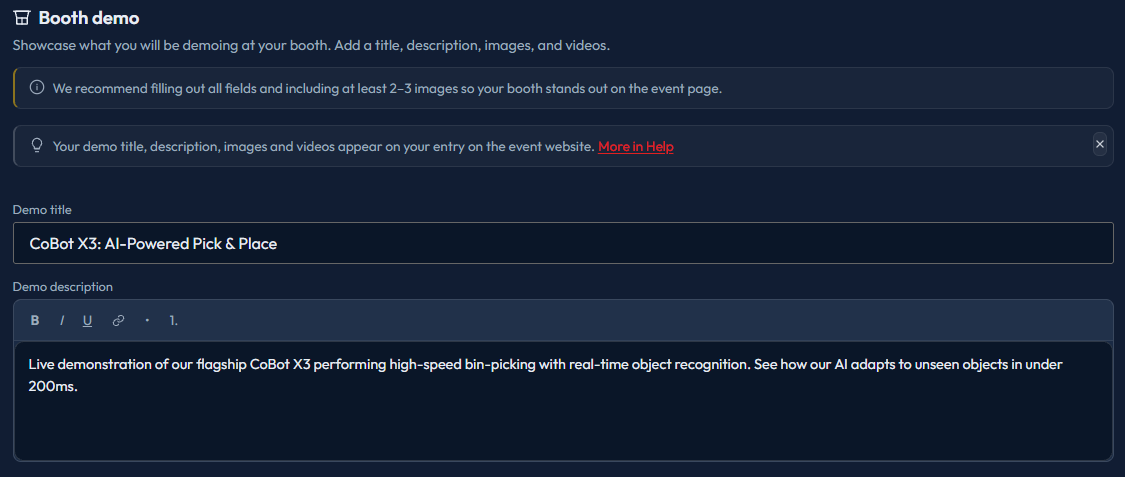
Screens from a demo booth on the Swiss Robotics Day 2026 portal. The company, the people and the booth are invented, and the demo booth is kept out of the real exhibitor lists.
The organisers keep the floor plan
Booth numbers, expo areas, categories and types are assigned by the event organisers and are read-only to you. An email goes out when they change. Everything else is yours to edit until the deadline passes.
The checklist reflects that split. Rows that are waiting on the organisers say so, rather than sitting there unticked as though you had forgotten them.
Set by the organisers
- Booth number and expo area
- Category and exhibitor type
- Load-in and load-out windows on offer
- The rentals catalogue and its prices
- Passes included with your stand
- Deadlines
- When your entry goes live on the event website
Yours
- Logo, description and company details
- Contact address and social links
- Demo title, description, images and videos
- Who is on the stand and which pass each one holds
- Which arrival window you take
- What you rent
Whoever ends up doing the work
One company account, several people, and no shared password. Everyone you add can work on the stand. The company record itself stays with the people who booked.
Whoever books the stand
Gets the first account and usually looks after the company profile. Only account holders can change those company details.
The people on the floor
Get their own logins and handle the demo, the media, the arrival window and the rentals for their booth. They can read the company profile without editing it.
A marketing colleague
Added the same way, usually to look after the images, the description and the demo text that end up on the event website.
Worth knowing before you ask
Next step
Exhibiting at an event that runs on SRAtix?
Your Portal is already waiting. Check the welcome email that came with your booking, or ask the event organisers to send the link again.
The Portal comes with SRAtix. Your exhibitors fill in their own details, book their own arrival windows and order their own rentals, and the entries reach your event website without anyone retyping them.
Talk to us